Moving apps to microSD easily on Samsung flagships!
With the launch of Galaxy S8 and S8+, Samsung is surely enjoying a good time with a lot of high ratings for the new devices. Today, we will show you a tip for moving apps to microSD card on Samsung flagships, so your experience is even better!
 Moving apps to a microSD card is easy on S7!
 Moving apps to a microSD card is easy on S7!
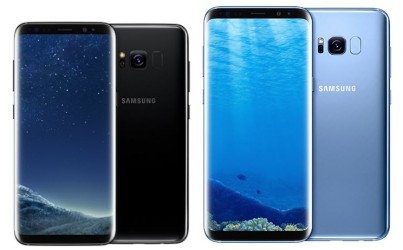
Since the introduction of Galaxy S7 and S7 Edge, Samsung has implemented the expandable storage again. It still remains with the newly launched Galaxy S8 and S8+. For the new devices, there are 64GB of internal storage, and some of it is occupied by the OS and some default applications. With expandable options of up to 256GB, there are than enough storage if you want to keep space for music, photos, and videos.
However, there is also another advantage to having some additional storage on Samsung flagships: moving apps or games to the added storage space, especially larger-sized ones. The steps are simple too. First, make sure you have a microSD card in your phone. Then, go to Settings > Applications, and choose “All apps” from the dropdown menu. Then, select an app you want to move, the choose “Storage”. If the chosen app can be moved, there will be a “Change” option. Choose Change > SD Card, and just follow the instructions. Voila, you have successfully moved the app to your microSD card! 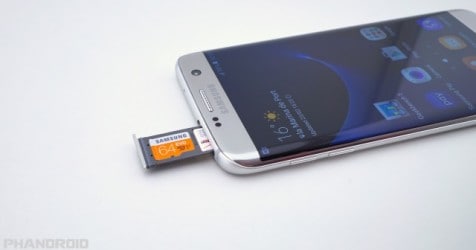 Once the moving is completed, the app should run normally. Remember, not any app can be moved, and you can identify that by seeing if there is a “Change” option in the “Storage” tab of an app. Once transferred, if you remove your SD card, the app’s icon will be shown as another icon indicating that it has been stored on the SD card, and you will be unable to access the app unless you put the card back in. If you want moving apps the opposite way, just follow the same instructions above, but choose “Internal storage” instead of “SD Card”.
Moving apps to microSD card: A real convenience!
Hopefully that small tips will help you with your experience of Samsung flagships. You now can make full use of the SD card. Have you bought any of the newest Samsung flagship yet?
You May Like
-
 Nokia Maze Xtreme 2026 Specs: 200MP Cameras, 12000mAh Battery!
-
Nokia XS Max 2026 Specs: 200MP Cameras, 10600mAh Battery!
-
 Nokia P1 Lite 2026 Specs: 200MP Cameras, 11000mAh Battery!
-
Nokia Flash 2026 Specs: 16GB RAM, 200MP Cameras!
-
Sony Xperia Ultra Max Pro Specs: 200MP Cameras, 19100mAh Battery!
-
Nokia A2 Pro Specs: 18GB RAM, 12000mAh Battery!
-
Nokia Royale Max Ultra 2026 Specs: 24GB RAM, 18700mAh Battery!
-
 Nokia Play 2 Max 2026 Specs: 24GB RAM, 12000mAh Battery!
-
مواصفات Sony Ericsson Satio 2026: ذاكرة RAM بسعة 16 جيجابايت، وكاميرات بدقة 250 ميجابكسل!